
Prepare for Plex & Jellyfin
Convert awkward files into consistent formats, organise subtitles, and reduce playback surprises across your library.
Media Smith brings conversion, restoration, batch processing, and proprietary subtitle recognition into one straightforward toolkit. Our own ML model and OCR pipeline turn image-based subtitles into SRT files locally, without sending your files to an online service.
Prepare cleaner, compatible files for Plex and Jellyfin libraries, home servers, network storage, desktop playback, and long-term archives.
Set up reusable profiles, add folders, and follow progress from one consistent desktop application.
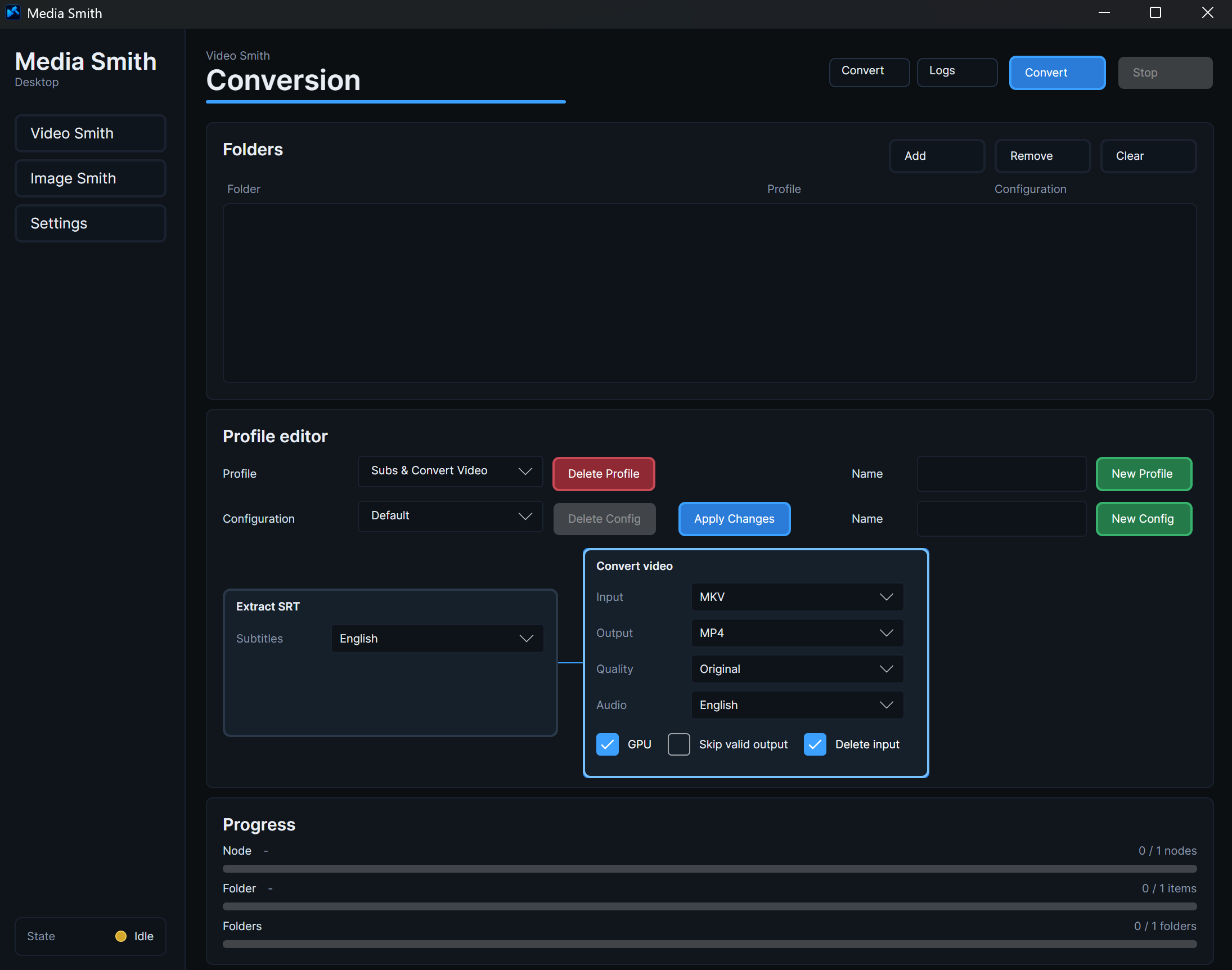
Convert awkward files into consistent formats, organise subtitles, and reduce playback surprises across your library.
Improve low-resolution video and images so older material looks better on modern displays.
Use Media Smith’s proprietary machine-learning model and OCR pipeline to recognise image-based subtitle tracks and create editable SRT files locally.
Queue folders, follow their progress, and let longer jobs run unattended.
Bring old recordings, camera files, and image collections into formats that are easier to keep and revisit.
Create practical viewing copies, convert image sets, and prepare source material without juggling separate utilities.
Media Smith combines established media engines with our own machine-learning and OCR work. Each part has a clear role in the application.
Reliable media inspection, video and audio decoding, encoding, conversion, and container handling across a broad range of formats.
Our own model and OCR pipeline recognise image-based subtitles and turn them into editable SRT files. This processing is Media Smith technology.
Locally upscale images and video using hardware-accelerated models, with multiple enlargement levels and options suited to general and animated material.
Supported FFmpeg and Real-ESRGAN builds are packaged for a simpler setup. The subtitle model and OCR pipeline are proprietary Media Smith components. Advanced users can select compatible external FFmpeg and Real-ESRGAN installations in Settings.
Video conversion, image conversion, subtitle handling, and upscaling work together in a consistent experience.
Work through nested folders and large queues instead of opening and processing every file by hand.
Your personal media stays on your own computer and storage throughout the workflow.
Tell us what you are trying to organise, convert, or restore. Your feedback also helps shape what Media Smith tackles next.